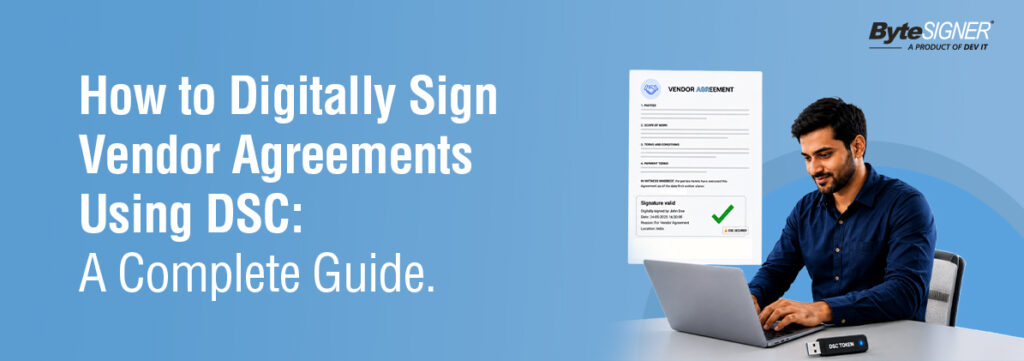
Signing a vendor agreement should take minutes, not days. But for most businesses, it still means printing the contract, signing by hand, scanning it back, and waiting on the other party to do the same. By the time both signatures are in place, the deal has already been delayed.
This guide shows you exactly how to digitally sign vendor agreements using your DSC, step by step, using ByteSIGNER. Whether you are signing one contract or a hundred, you will have everything you need to do it correctly, legally, and fast.
What Is a Digital Signature?
Let us clear this up first, because it causes a lot of confusion.
Most people, when they hear “digital signature,” picture a scanned image of their handwritten signature dropped into a PDF. That is not a digital signature. It is just a picture. Anyone can copy it, paste it into any document, and there is zero way to tell if the document was changed after it was “signed.”
A real digital signature works completely differently. It is a certificate-based cryptographic stamp that is mathematically tied to your identity. When you sign a document, your private key generates a unique fingerprint for that exact file at that exact moment. The moment anyone changes even one word after signing, the signature breaks. Automatically. No manual check needed.
What you get with a proper digital signature is three things: proof of who signed, proof of when they signed, and proof that nobody touched the document since.
An electronic signature, to be clear, is different. That covers anything from typing your name into a box to clicking “I agree.” Easy to create. But also easy to dispute in court, because there is no cryptographic link between the mark and a verified identity.
For vendor agreements, where payment terms, liability, and delivery commitments are all on the line, a certificate-based digital signature is not optional. It is the only version that actually holds up.
Is Digitally Signing Vendor Agreements Legal?
Yes. And it has been for over two decades.
In India, the Information Technology Act, 2000 gives digital signatures issued by licensed Certifying Authorities the same legal standing as a handwritten signature. A vendor contract signed with a valid Digital Signature Certificate is admissible as evidence in an Indian court.
What every one of these laws requires is the same thing: the signature must be linked to a verified identity, and the document must show if it was tampered with after signing. Certificate-based digital signatures do exactly that.
Documents signed through ByteSIGNER meet all these standards. They are legally valid, court-admissible, and recognized across jurisdictions.
What You Need Before You Start
The good news is you only set this up once. After that, signing a vendor agreement takes a few minutes from start to finish.
A Digital Signature Certificate (DSC)
This is the non-negotiable starting point. In India, DSCs are issued by Certifying Authorities licensed by the Controller of Certifying Authorities. It is essentially your verified digital identity, tied to a private signing key. If you do not have one yet, contact a licensed CA to get it issued. It does not take long.
A USB Token or a .PFX File
Your DSC gets stored on one of these two. A USB token is a small hardware device you plug into your computer. A .PFX file is a certificate file that lives on your computer or your company’s network drive. ByteSIGNER works with both, so use whatever your organization already has in place.
Your Vendor Agreement in PDF Format
Convert your contract to PDF before you sign it. Word documents can be edited after the fact in ways that are hard to detect. PDFs have a fixed structure that works much better with digital signature encryption. If your contract is a Word file, export it to PDF first.
ByteSIGNER Installed on Your Computer
This is important: ByteSIGNER is a desktop application. It runs offline. Your vendor contracts, pricing documents, and supplier terms stay on your machine the entire time. Nothing gets uploaded to a cloud server. For businesses handling confidential commercial agreements, that matters a great deal.
Step-by-Step: How to Sign a Vendor Agreement Using ByteSIGNER
Here is exactly what the process looks like once you have your DSC ready.
Step 1: Open ByteSIGNER and Upload Your Vendor Agreement
Launch ByteSIGNER on your desktop. Upload the vendor contract PDF through the dashboard. You can drag the file in or browse to it manually.
Step 2: Select Your Digital Certificate
If you are using a USB token, plug it in. ByteSIGNER detects it automatically. If you are using a .PFX file, browse to its location and enter your password. Then select the certificate you want to sign with.
Step 3: Set Your Signature Placement
Choose where the signature should appear in the document. Here is a feature that saves real time: ByteSIGNER lets you save a predefined placement. So for vendor agreements that follow the same template every time, you set the position once and never have to manually place it again.
Step 4: Turn On Timestamping
Before you hit sign, take a second to switch on timestamping.
It does something simple: it records the exact date and time your signature went on the document. Sounds minor, but it’s not. That one detail can end up mattering a lot down the road. If you ever need to prove when a document was signed, whether for an audit, a compliance check, or a dispute with someone down the line, that timestamp is your proof.
There’s another reason to care about this. Digital certificates don’t last forever. They expire. So if your certificate runs out after you’ve already signed the document, the timestamp is what proves the signature was valid at the time you signed it. Without it, you could end up with a document that’s harder to verify years later, right when you need it most.
This matters even more for things like contracts and vendor agreements, documents you might need to pull out and validate long after the ink (so to speak) has dried.
So if you’re signing anything important with ByteSIGNER, just leave timestamping on. It takes no extra effort on your part, but it can save you a real headache later.
Step 5: Sign
Click Sign. ByteSIGNER applies your certificate-based signature with encryption and creates the signed PDF. The whole thing takes seconds.
Step 6: Send to Your Vendor
Download the signed PDF and email it to your vendor. If they also need to sign, they can apply their own DSC-based signature to the same document and send it back. ByteSIGNER supports multiple signatures on a single PDF, so no duplicate versions, no confusion about which copy is the final one.
Manual Signing vs ByteSIGNER, Side by Side:
Manual Process | With ByteSIGNER |
| Print the contract | Upload PDF |
| Upload PDF | Select DSC certificate |
| Scan the signed pages | Set placement, enable timestamp |
| Email or courier to vendor | Sign in seconds |
| Wait days for return copy | Vendor counter-signs digitally |
| File in a physical folder | Signed PDF saved automatically |
| 3 to 7 days total | Under 5 minutes |
How to Bulk Sign Multiple Vendor Contracts
Here is the reality for most procurement and finance teams: you are never signing just one contract.
Annual vendor renewals, new supplier onboarding at the start of the financial year, purchase order approvals, or NDA batches before a major product launch often involve dozens or even hundreds of documents. Signing each one individually, even with a digital signature solution, quickly becomes repetitive and time-consuming.
ByteSIGNER’s bulk signing feature simplifies the process by allowing multiple PDF documents to be digitally signed in a single operation. Simply select the documents, configure your signing preferences once, and ByteSIGNER automatically applies your Digital Signature Certificate (DSC) to each file. The software processes every document sequentially, helping reduce manual effort while maintaining consistency across the entire batch.
Instead of signing documents one at a time, teams can complete large signing tasks in significantly less time, making bulk signing ideal for high-volume business workflows.
When bulk signing is most useful:
- New supplier onboarding batches at the start of a financial year
- Annual renewal cycles across your vendor base
- Large purchase order or service agreement batches
- NDA batches before audits, launches, or new partnerships
Best Practices for Vendor Agreement Signing
The process is simple. The habits around it are what determine whether your contracts hold up three years later when something goes wrong.
Use a certificate-based signature every time, not a drawn or image-based one.
An image of your signature on a PDF carries no cryptographic value. It cannot prove your identity, cannot prove the document was unaltered, and will not survive a legal challenge. Always use your DSC.
Enable timestamping before signing your vendor contracts, no matter how many documents
you’re working through. Even if you’re signing a hundred of them in one sitting, don’t skip this step. A timestamp records the exact moment each PDF was digitally signed, giving you solid proof of when it happened. For vendor agreements that need to stick around for years, that timestamp gives you an extra layer of trust and a clear paper trail whenever you need to look back, even if the certificate used to sign it has since expired.
Finalize the document completely before you sign it.
Even fixing a typo after signing will break the signature. The entire mechanism depends on the document being unchanged after signing. Read it through, get all edits done, then sign.
Store signed agreements somewhere searchable, not just email.
Your inbox is not a contract management system. Signed PDFs sitting in email threads get lost in migrations, buried in archives, and are a nightmare to find in a hurry. Keep a proper folder structure organized by vendor, contract type, and year.
Verify the vendor’s counter-signature before filing.
When the vendor sends back the counter-signed document, actually check it. Make sure their signature is certificate-based and the document is unaltered. A simple check today can save trouble later.
Check compliance requirements for international vendors
If your vendor operates in the EU or another jurisdiction with specific e-signature laws, verify which standard applies before either party signs. A signature valid under India’s IT Act may not satisfy eIDAS in all cases.
Common Mistakes to Avoid
These show up consistently with teams that are new to digital signing.
Using an image-based signature Dragging a PNG of your handwritten signature into a PDF is not a digital signature in any legally meaningful sense. Anyone can copy it and paste it anywhere. Always use your DSC.
Skipping Timestamping
This is one of the most common mistakes people make: signing a document without turning on timestamping. The signature itself still works, but without a timestamp, you lose something important, a clear record of exactly when that signature was applied.
It plays a bigger role than most people realize. Even if your Digital Signature Certificate (DSC) expires later, a trusted timestamp helps verify that the document was signed while the certificate was still valid. That’s what keeps the document verifiable years down the line, not just today.
The good news is ByteSIGNER supports timestamping out of the box, with built-in servers you can use right away. It only takes a second to turn on, but it can save you a lot of trouble years down the road.It’s a small step, but it goes a long way in keeping your signed documents solid and trustworthy for years to come.
Editing after signing
A correction, however small, after signing invalidates the signature completely. Everything needs to be final before you click sign.
Not checking the vendor’s returned signature
Teams often send the signed contract, receive the counter-signed version, and file it without verifying. If the vendor’s signature is not DSC-based, or if the file was modified before they signed it, you have a problem. Check it first.
Keeping signed contracts only in email
Email is fragile as a storage system. Accounts get compromised, archives get deleted, and threads get impossible to search over time. Move signed agreements to dedicated, backed-up storage.
Why ByteSIGNER Works for Vendor Contract Signing
There are plenty of signing tools out there. Most of them are cloud-based, built for occasional use, and not designed for the kind of high-volume, security-sensitive signing that procurement and finance teams do every day.
ByteSIGNER is different in a few important ways.
It runs completely offline. Your vendor contracts never touch a third-party server. If your agreements contain confidential pricing, supplier terms, or proprietary information, that matters. The file stays on your machine from start to finish.
The bulk signing feature is built for actual enterprise volumes. Not “sign five documents quickly” but “process 200 renewal contracts before Friday.” ByteSIGNER handles the full batch, tracks progress in real time, and logs success or failure for each file.
It works with both USB tokens and .PFX files out of the box. USB tokens are auto-detected when you plug them in. No configuration fiddling. Both formats are standard across Indian businesses, and ByteSIGNER supports either without making you choose.
Predefined signature placement is a small feature that makes a big difference in practice. Vendor agreements follow templates. You set the signature position once for that template, and ByteSIGNER places it correctly every time across every document in the batch.
Multiple parties can sign the same PDF. Your authorized signatory signs, your vendor’s authorized signatory signs the same file, both signatures sit in the document with individual timestamps and certificate details. No back-and-forth about which version is current.
Feature | What It Does for Vendor Agreements |
| Automated Bulk PDF Signing | Process entire batches of contracts in one operation |
| USB Token and .PFX Support | Works with both DSC formats standard in India |
| Predefined Signature Placement | Set the position once per template, save time every time |
| Timestamping | Legal date and time record on every signed document |
| Multiple Signatures on One PDF | Both parties sign the same file, no duplicate versions |
| Offline Desktop Application | Documents never leave your machine |
| Court-Admissible Signed Documents | Valid under IT Act 2000 |
Final Thoughts
ByteSIGNER is designed for users without technical expertise. A procurement coordinator, legal assistant, or business owner picks it up in one session. No training course, no IT ticket, no manual to read through. It is built for businesses that need to sign vendor agreements securely, in bulk, and without sending sensitive files to a cloud server. Visit bytesigner.in to request a demo or download a trial.Try It for Yourself
Start your 7-day free trial with ByteSIGNER and see how much easier it is to manage document signing in your day-to-day work.FAQ
Yes, completely. With ByteSIGNER the entire process is digital. Upload the PDF, apply your DSC signature, send the signed copy to your vendor. Nothing gets printed or scanned at any point.
Yes. Under the Information Technology Act, 2000, a digital signature issued by a licensed Certifying Authority carries the same legal weight as a handwritten signature. Contracts signed with a valid DSC are admissible as evidence in Indian courts.
An e-signature is any electronic way of showing you agree to something, like typing your name or clicking an “I Agree” button. A digital signature works differently. It’s certificate-based and uses cryptographic technology to create a tamper-evident record tied to a verified signer, and you can strengthen it further by adding a trusted timestamp.
For vendor contracts and other business documents, digital signatures give you stronger identity verification, better document integrity, and long-term auditability, especially when timestamping is turned on.
ByteSIGNER’s bulk signing feature handles this. Select the folder containing all your vendor agreement PDFs, configure your signing profile once, and ByteSIGNER processes every file automatically. Each gets its own signature and timestamp. The signed copies go to a separate output folder.
Yes. ByteSIGNER supports multiple signatures on a single PDF. You sign first, send to your vendor, and they apply their own DSC signature to the same file. Both signatures are embedded with separate timestamps and certificate details. No need to create two copies.
Yes, the core signing process works fully offline. Once ByteSIGNER is installed and licensed, you can sign documents without being connected to the internet.