The Real Problem: Too Many Documents, Too Little Time
Signing multiple PDF documents every day is a routine part of business operations. They sign dozens, sometimes hundreds – invoices, vouchers, tender documents and contracts and purchase orders. Doing that manually, one file at a time, one click at a time, eats hours every week.
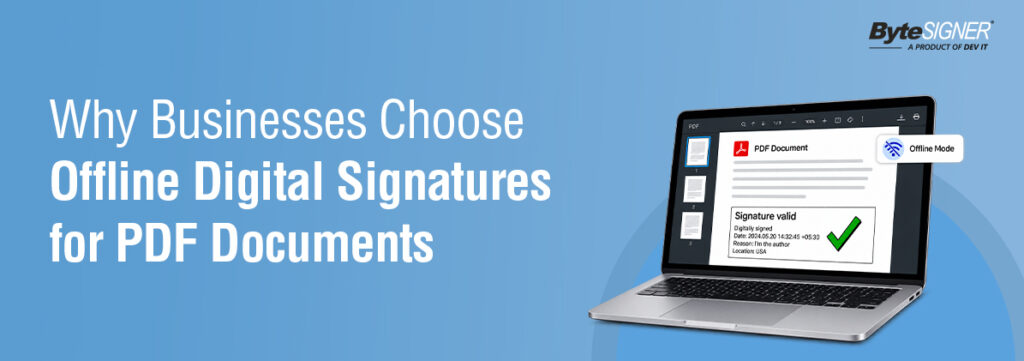
Managing a large volume of documents that require digital signatures can be time-consuming and challenging for businesses. ByteSIGNER simplifies this process with its bulk PDF signing software, enabling businesses to digitally sign multiple PDF documents at once using a Digital Signature Certificate (DSC). Designed for secure and efficient document signing, ByteSIGNER works offline, allowing businesses to sign documents without uploading sensitive files to cloud servers. This helps organizations improve signing efficiency while maintaining greater control over their documents and data.
This article explains how ByteSIGNER enables businesses to digitally sign multiple PDF documents simultaneously and explores the benefits of an offline, bulk document-signing approach. It also highlights why organizations may prefer a secure, offline bulk PDF signing solution over conventional cloud-based platforms when managing high volumes of business documents
What a Digital Signature Certificate (DSC) Actually Is
In India, digital signatures are governed by the Information Technology Act, 2000. Section 3 of the Act recognizes a signature as legally valid if it’s built on asymmetric cryptography and hash functions, which is exactly what a DSC provides. Section 5 goes further and gives a properly signed electronic document the same legal standing as a handwritten signature.
A DSC is issued by a licensed Certifying Authority under the Controller of Certifying Authorities (CCA), names like eMudhra, Capricorn, and Safes crypt. Today, Class 3 is the only DSC class still issued, and it’s mandatory for a long list of filings: MCA/ROC company filings, GST returns, income tax filings, DGFT, EPFO, ICEGATE, GeM, and most government e-tenders.
A DSC can live in two places:
- A USB token – a small hardware device (FIPS-compliant) that holds the certificate physically. The private key never leaves the device.
- A .PFX file – a software certificate file stored on your computer. No hardware needed, but it’s still the same underlying certificate.
ByteSIGNER supports signing with either one. That matters, because plenty of businesses already have a Class 3 DSC on a USB token for GST or MCA filings, and ByteSIGNER lets them reuse that same certificate for signing every other PDF that needs a legal signature, without buying anything new.
How ByteSIGNER Actually Signs Your Documents
Here’s the real workflow, not a general description of “offline signing.”
- Upload your documents into ByteSIGNER’s dashboard, one file or a full batch.
- Connect your DSC. Plug in your USB token (ByteSIGNER auto-detects it and pulls the right certificate) or select a stored .PFX file.
- Set your signature details. Choose where the signature should sit on the page, either a predefined spot or a custom location, and add a company logo or stamp image if needed.
- Sign. ByteSIGNER applies the digital signature to every document in the batch. Nothing is uploaded to an external server; the whole process runs on your machine.
- Review the log. Every signed file gets logged, so you can see at a glance what went through and what didn’t. Your original documents don’t get touched at all. ByteSIGNER just drops the signed copies into their own folder, separate from the originals.
A few things worth knowing that make this more than a basic signing tool:
- Multiple signatures on one document are supported, useful when a contract or tender needs sign-off from more than one authority.
- Timestamping is applied automatically, recording exactly when the document was signed, which supports the document’s integrity if it’s ever questioned later.
- Password-protected PDFs can still be signed without removing that protection.
- Signing profiles can be saved, so a team member doesn’t have to reconfigure certificate and placement settings every time; they just pick a profile and go.
Manual Bulk Signing vs. Automated Bulk Signing
ByteSIGNER comes in two plans built around exactly this distinction:
- Business plan – manual bulk signing, built for small and mid-sized businesses with a steady but manageable volume of documents to sign.
- Enterprise plan – automatic bulk signing, built for larger businesses processing high volumes of invoices, contracts, or vouchers that need signing with little to no manual intervention.
Both plans sign using a USB token or .PFX file, and both let you place signatures at predefined or custom locations. The difference is how much of the signing process runs on its own once it’s set up.
The real difference between the plans:
| Comparison | Manual Bulk Signing (Business) | Automated Bulk Signing (Enterprise) |
| Who starts the signing | You select the files and trigger each batch yourself | The system watches a folder and signs automatically as files arrive |
| Best for | Steady, predictable volume: 20 to 200 documents a day | High volume with unpredictable spikes: hundreds to thousands a day |
| Effort involved | You review and initiate every batch | Set it up once, let it run in the background |
| Ideal use case | A CA firm signing monthly invoices and other client documents in batches. | A manufacturing company auto-signing purchase orders, Sales orders, invoices, agreements and many more document as they’re generated |
| Control level | Full manual control over every batch | Rule-based automation, still using your DSC |
Need to sign a few batches each day? The Business plan gives you full control with manual bulk signing. Need to process large volumes automatically? The Enterprise plan signs documents as they arrive in a designated folder. In both cases, your documents are signed using your DSC, on your machine, with your control.
Why Businesses Choose This Over Cloud E-Signature Tools
The documents never leave the building.
Invoices, vouchers, tender submissions, and contracts often contain pricing, vendor details, or financial data a business would rather not upload to a third-party server. ByteSIGNER signs everything locally, so that question never comes up.
Volume makes manual signing impossible.
For businesses processing hundreds of vouchers, invoices, and other documents each month, manually opening, signing, and saving each file can be time-consuming and inefficient. Bulk PDF signing automation provides a practical way to streamline this process by enabling organizations to digitally sign multiple documents efficiently, reduce repetitive manual work, and improve overall document-processing productivity. For businesses managing high document volumes, bulk digital signing can help create a faster, more consistent, and scalable workflow.
The DSC is already sitting in a drawer.
Most businesses signing GST returns or MCA filings already own a Class 3 DSC on a USB token. ByteSIGNER uses that same certificate instead of asking the business to set up a separate signing identity through a cloud vendor.
Cost stops scaling with volume.
Cloud e-signature platforms typically charge per document or per envelope sent. For a business signing hundreds of documents a month, that adds up fast. ByteSIGNER plans are built around signing volume directly, not a per-document toll.
Compliance and non-repudiation matter more than speed.
With invoices, legal documents, and tender filings, what matters most is that the signature holds up legally, flags any tampering, and traces back to the exact person who signed it. That’s exactly what a DSC-based signature under the IT Act provides, regardless of whether the signing happened online or offline.
Who Actually Uses ByteSIGNER
- Finance and accounting teams signing invoices and vouchers in bulk, every month, without falling behind
- Manufacturing companies processing purchase orders and vendor contracts at volume
- Businesses bidding on government tenders, where a Class 3 DSC is often mandatory for submission
- Legal and compliance teams needing multiple authorized signatures on a single contract
- Any business already holding a DSC for GST, MCA, or income tax filings that wants to put it to wider use
Your documents. Your certificate. Your machine.
That’s the whole idea behind ByteSIGNER. No uploading invoices to some server and hoping for the best. No per-document charges eating into your margins on a 500-invoice batch. Just your existing DSC, doing what it’s supposed to do: signing your documents, offline, in bulk, the way you already work.
Start Your Free Trial
Ready to simplify your PDF signing process? Try ByteSIGNER free for 7 days and experience secure, offline digital signing for your documents.
No credit card required. Your PDF files stay on your system and are never uploaded to the cloud.
FAQ
Either works with ByteSIGNER. A USB token keeps the private key on physical hardware and is what most Class 3 DSCs are issued on. A .PFX file is a software certificate stored on your computer. Both are fully supported.
Yes, that’s the core of what it’s built for. The Business plan handles manual bulk signing, and the Enterprise plan automates it further for high-volume signing with little manual input.
Yes. You can add multiple signatures to a single PDF with ByteSIGNER, so if a contract or tender needs sign-off from more than one authority, that’s already covered.
No, it doesn’t touch your original at all. ByteSIGNER saves the signed version separately, in its own output folder.