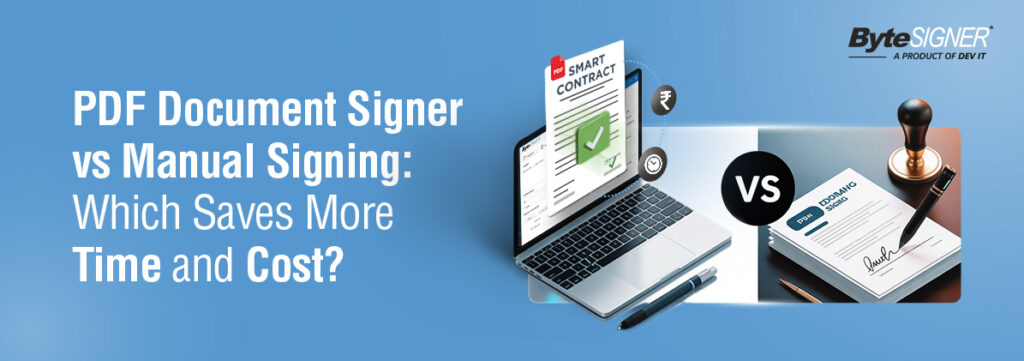
In today’s fast-moving business environment, the speed of document reviews and approvals is a key ingredient in the smooth running of a company. From employee onboarding through to client contracts, vendor agreements, legal paperwork, and compliance documentation, all processes require signatures. Historically, organizations have signed things manually: printing documents, signing physical pages, scanning them, and emailing them back.
Although this approach has been functional for decades, it has become one of the slowest and costliest parts of modern workflows.
In today’s fast-moving digital landscape, businesses are rapidly adopting PDF document signing solutions like ByteSIGNER. These platforms enable teams to sign documents instantly using secure, legally compliant digital signatures. By removing the need for printing, scanning, and juggling multiple versions, companies can save significant time and operational costs while improving overall efficiency.
Below is a complete and clear comparison between manual signing and PDF document signing to help you understand which option truly benefits your business. This ensures that teams can sign documents quickly and safely anywhere, without having to resort to physical paperwork.
What Is a PDF Document Signer and Why Businesses Prefer It
A PDF Document signer is a digital tool that helps enable users to add secure, legally recognized signatures to PDFs without printing. These signatures are globally recognized as legal via laws like ESIGN, eIDAS, IT Act 2000, and GDPR, hence valid for use in contracts, approvals, and compliance documentation.
Modern solutions like ByteSIGNER offer far more than just a simple signature. They give you digital security certificates, file-level encryption, real-time updates on signing progress, multi-level approval workflows, timestamps with complete audit trails, secure cloud storage, and easy options to share and track your documents.
Together, these features ensure that teams can sign documents quickly, securely, and from anywhere eliminating the delays and effort that come with manual paperwork.
Why Manual Signing Still Exists and Why It Creates Delays
Many companies still use manual signatures because such a practice is so familiar. But the latent inefficiencies of manual signing generate unnecessary delays and costs.
Manual Signing Takes Much Longer Than Expected
The manual signing process entails several steps that are very time-consuming:
- Printing the document
- Finding the right person to sign
- Signing the paper physically
- Scanning the signed version
- Rename it and store it
- Emailing the final file
- Reinitiate the process in case any pages are missing or incorrect
This is often a manual workflow that takes 20 to 40 minutes for every document, turning what should be a 30-second task into an unnecessary drag on productivity.
Manual Signing Creates Ongoing Printing and Operational Costs
Physical paperwork generates several recurring expenses, including:
- Paper and printing
- Ink and Toner
- Printer repairs
- Electricity
- Courier services
- Physical storage space
- Administrative labor
These costs add up to thousands or even lakhs of rupees for a year, depending on the volume of the documents.
Manual Signing Increases the Chances of Human Error
A manual process means documents can be:
- Misplaced
- Incorrectly printed
- Left unsigned
- Scanned poorly
- Saved with incorrect filename
- Damaged or unreadable
Even one missing signature can delay an entire workflow for days.
Manual Signing Limits Remote and Hybrid Workflows
In today’s remote-first environment, waiting for someone to physically sign a paper document leads to:
- Long approval cycles
- Delays when someone is traveling or unavailable
- Difficulty coordinating between teams across locations
- Friction in cross-border operations
Manual signing simply cannot keep up with the speed of a digital workflow.
PDF Document Signing: A Modern Alternative That Improves Efficiency
Digital signing removes the slow, repetitive tasks associated with paper-based signing and replaces it with a smooth, automated workflow. PDF Signing Allows for Instant Approvals from Any Device With tools like ByteSIGNER, users can sign documents:- From a mobile phone
- Through a laptop or tablet
- While traveling
- From home or office
- Across different cities or countries
- Printing becomes unnecessary
- Paper and ink consumption become zero
- Scanning is completely removed
- Courier charges disappear
- File storage moved to digital folders
- Encrypted signatures that cannot be tampered with
- Certificates that verify the signer’s identity
- Timestamping: Record time when the signature was added
- Access control to ensure security for sensitive documents
- Complete audit trails
- Automated reminders
- Sequential or parallel approval flows
- Templates for commonly used documents
- Bulk document signing
- Version control
- Real-time tracking
Time Comparison: Manual Signing vs. PDF Document Signing
Process Step | Manual Signing (Approx Time) | PDF Signing (ByteSIGNER) |
Printing | 3–5 minutes | Instant |
Locating and approaching the signer | 5–15 minutes | Not required |
Signing the document | 2–3 minutes | 10–20 seconds |
Scanning the document | 5 minutes | Not required |
Emailing the signed file | 2 minutes | Automatic |
Reworking mistakes | 10–15 minutes | Instant |
Total Time | 20–40 minutes | 20–30 seconds |
Cost Comparison: Which One Saves More Money?
Manual Signing Costs Add Up Quickly
Manual signing generates recurring costs that include:
- Paper and printing
- Toner and maintenance
- Courier services
- Filing and storage
- Administrative labour
For organizations handling even a moderate volume of documents, it becomes a considerable yearly expense.
Digital Signing Significantly Reduces Costs
With PDF signing:
- No printing needed
- No paper is required
- No scanning or couriering takes place
- No Physical filing is required
Tools like ByteSIGNER provide predictable, low-cost solutions that drastically reduce the cost of documentation.
Security Comparison: Which Is Truly Safer?
Manual Signing Comes with Security Limitations
Physical paperwork can get lost, damaged, forged, or altered, and changes cannot be traced. There’s also no record of who viewed the document or when it was signed, so compliance is difficult.
PDF Signing Ensures High Security and Full Transparency
Digital signing provides advanced protection, including:
- Encryption
- Identity verification
- Advanced audit logs
- Controlled access
- Tamper Detection
ByteSIGNER ensures that every document is authenticated and protected throughout its lifecycle.
Productivity Benefits: How PDF Signing Supports Modern Teams
HR Departments
HR teams can onboard employees, assign and sign policies, and approve contracts at greater speed with fewer errors.
Sales Teams
Sales cycles speed up since contracts and proposals can be signed immediately.
Finance Teams
Invoices, purchase orders, and financial approvals can be made more efficient and traceable.
Operations Teams
Operations teams benefit from consistent workflows, reduced paperwork, and enhanced task coordination.
Legal & Compliance Teams
Digital signing enables secure, verified, legally valid signatures that help in maintaining compliance.
Real Business Use Cases Where PDF Signing Excels
Businesses use PDF signing for vendor agreements, client contracts, staff onboarding paperwork, NDAs and legal forms, financial approvals, purchase orders and invoices, and compliance documentation.
These documents, instead of taking many days, can be done in minutes.
ByteSIGNER: A Reliable PDF Document Signer for Modern Businesses
ByteSIGNER is designed to make digital document signing easy, secure, and efficient by offering legally valid digital signatures, secure cloud workflows, multi-user approval flows, automated email reminders, strong encryption, and detailed timestamps with audit logs.
The best fit for companies wanting to eliminate paperwork delays and move into a faster, smarter signing process would be ByteSIGNER.
Final Decision: Which One Saves Time and Cost?
After taking a closer look at both ways, it is obvious that manual signing slows down the speed of business because of physical dependencies, longer processing time, and recurring printing and storage costs. Moreover, the manual process opens avenues for misplaced files, missing signatures, and delays caused by the limited availability of signers.
PDF document signing, on the other hand, is a truly rapid and reliable experience that enables instantaneous document processing by businesses, reducing operation costs, enhancing accuracy, and securing workflows with audit trails and encryption. It supports remote teams, ensuring legal compliance while cutting back considerably on repetitive administrative tasks.
With such obvious advantages, the adoption of a PDF document signing tool such as ByteSIGNER will be the most efficient, cost-effective, and future-ready approach for any organization willing to operate smoothly and avoid unnecessary delays in paperwork.
Ready to streamline your document signing process?
Switch to ByteSIGNER today and enter the future of digital document signing fast, secure, and efficient. Save time, cut costs, and ensure compliance, all with just a few clicks.
Try ByteSIGNER free trial for 7 days—no commitments, no surprise fees. Start signing smarter today and experience the power of digital document signing firsthand!
Inquire with us if you have any questions or need assistance—We’re here to help!