If you work in HR, you know this feeling. A new employee starts on Monday, but by Friday you’re still waiting on three unsigned forms. Someone in payroll needs a benefits form that’s stuck in someone’s inbox. And somewhere in a filing cabinet is a pile of old policy forms nobody can find when an auditor asks for them.
This is the hidden time drain that never shows up in a budget report, but it eats up hours every week.
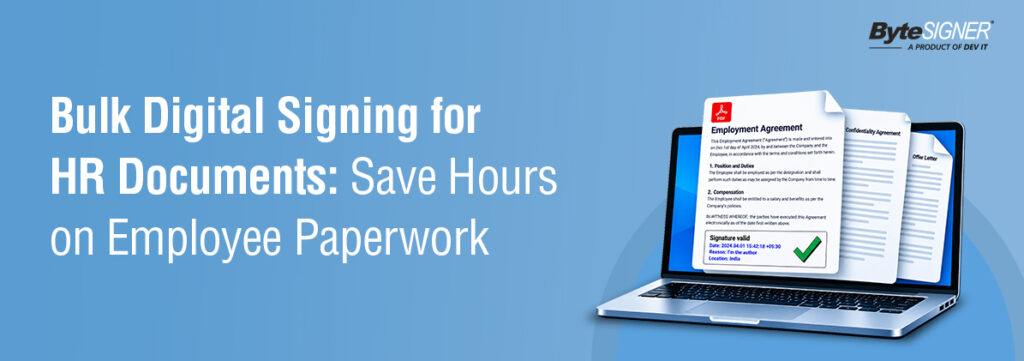
ByteSIGNER fixes this. Instead of opening and signing PDF documents one at a time, you apply your digital signature, using a USB token or .PFX certificate, across an entire batch at once. You can watch the signing progress in real time, and once it’s done, every signed file lands in its own folder, easy to find and separate from your originals.
Here’s everything you need to know about bulk signing: how it works, why it matters, and how to put ByteSIGNER to use for your HR paperwork.
The Problem with Old-Style Document Signing
Paper forms, and even basic single-document e-signing tools, share the same weak spot. They do not scale well.
Think about everything a new employee has to sign before their first day. An offer letter. An NDA. Tax forms. A handbook. A direct deposit form. Sometimes a dozen more. Now think about doing this for every single new hire you bring on this quarter. If each form has to be opened and signed by hand, your HR team spends more time on paperwork than helping people.
And it is not just new hires. Every year, HR has to get updated policy documents signed off across the whole company. Open enrollment for benefits hits every employee at once. Compliance training needs proof that people finished it. None of this works well when you can only sign one document at a time.
Here is what it really costs you:
Slower onboarding.
New hires wait longer to get set up, so it takes longer for them to start doing real work.
Compliance risk.
A missing signature on a policy document can turn into a real legal problem.
A bad first impression.
Nothing says “this company is disorganized” like asking a new hire to sign the same form for the fifth time.Wasted hours.
Every minute spent tracking who signed what by hand is a minute not spent on real HR work.
Basic e-signature tools solved part of this. But most were built for one document at a time. When you need to sign 50 different policy documents in a single batch, that old model breaks down fast. This is exactly the gap ByteSIGNER was built to close.
What Is Bulk Digital Signing?
Bulk digital signing means you can sign the same document, or a batch of different documents, all at once. You do not need to open and sign each file by hand.
With ByteSIGNER, you upload your documents once, configure your signature settings, and hit sign. Every document gets your digital signature applied automatically, and you can see the progress of the entire batch from one screen.
This sounds like a small change, but it is the difference between spending a whole afternoon on paperwork and spending five minutes.
Key Benefits for HR Teams
It saves real time.
HR teams that switch to ByteSIGNER often cut their document time in half or more. A task that used to take a full day now takes less than an hour.Fewer mistakes.
When you do things by hand, mistakes happen. Wrong file signed. Missing signature location. Document skipped by accident. ByteSIGNER keeps every document the same each time, so these small errors mostly disappear.Faster onboarding.
New hires whose paperwork is signed and ready before day one can spend their first day actually learning the job, not filling out forms.A clean record of everything.
Every signature in ByteSIGNER comes with a timestamp and a record that cannot be changed. If legal or compliance ever asks who signed what and when, you have the answer in seconds instead of digging through old emails.A better experience for employees.
No one likes printing, signing, scanning, and emailing forms back and forth. A smooth signing process through ByteSIGNER makes your company look organized from day one.Lower costs.
Less paper. Less printing. No courier costs. No physical storage space needed for documents you have to keep on file.Where HR Teams Use Bulk Signing
Bulk signing is not just for new hires, though that is often where teams start.
Here is where ByteSIGNER saves the most time:
New hire packets:
offer letters, tax forms, and handbooks, all signed together in one batch
Yearly policy updates:
get every policy document signed in one run, instead of handling each one by one
Benefits open enrollment:
get enrollment forms signed the moment enrollment opens
Performance review sign-offs:
process signatures without a single printed page
Compliance certificates:
keep a clean, easy-to-find record for every certificate your industry requires
Contractor and seasonal worker forms:
bring on temporary staff just as fast as full-time hires
If you have a stack of documents that need signing, it is a good fit for ByteSIGNER’s bulk signing tool.
How Bulk Digital Signing Works with ByteSIGNER
Getting started with ByteSIGNER is straightforward, even if this is your team’s first bulk-signing tool.
Here is what it looks like, step by step:
New hire packets:
offer letters, tax forms, and handbooks, all signed together in one batch
Configure your signature settings.
Choose your signing profile and select where the signature should be placed, predefined or custom locations, applied automatically across the batch.
Sign with your USB token or .PFX file.
ByteSIGNER auto-detects your USB token certificate so you can select the right one and go.
Sign it all at once.
One click in ByteSIGNER signs the documents in your entire batch.
Watch it happen live.
Track the signing progress in real time and confirm every document was signed successfully.
Everything stays organized.
Your signed files get their own folder, so you’re not digging through anything. The originals stay exactly as they were Combined with a signing log and timestamp on every document, you get a process that’s fast without cutting corners.
Where HR Teams Should Start with ByteSIGNER
Start small.
Pick one recurring document type, something like your monthly invoices, and run it through ByteSIGNER first before you roll it out to everything else.
Set up signing profiles early
Save your certificate and signature placement settings as a profile once, so your team doesn’t reconfigure them for every batch.
Confirm your DSC is ready
ByteSIGNER doesn’t issue certificates. Every signer needs a valid Class 3 DSC (USB token or .PFX file) from a licensed Certifying Authority before they can sign anything.
Train your team on the actual workflow.
Upload documents, connect to the DSC, set signature placement, sign, then review the log. It’s a short, linear process.
Choose the right plan for your volume.
Business plan for manual, predictable batches. Enterprise for high volume automatic signing from a watched folder.
Use the progress log, not reminders.
ByteSIGNER logs success and failure per document so you can verify a batch goes through. There is no built-in reminder to signers feature to rely on.
Stop Wasting Hours on Paperwork. Start Signing in Bulk.
Doing signatures by hand costs your HR team time, creates compliance risk, and leaves a messy first impression on new hires. ByteSIGNER’s bulk digital signing solves all three problems at once.
ByteSIGNER makes it simple to sign and track HR documents at scale, using your existing DSC, with your files staying on your own machine the entire time.
FAQ: What HR Teams Actually Ask About Bulk Digital Signing
No special Certificate Required With ByteSIGNER, clients can use their scanned signature to sign documents digitally. There is no need for a digital signing certificate, making the signing process simple, quick, and convenient.
There’s no small, awkward limit here.Whether you’re signing number of documents, ByteSIGNER handles it the same way – upload, configure, sign.
Not long at all. Most HR teams get comfortable after a single 15-minute walkthrough.
Yes. You can start a free trial, or if you’d rather see it in action first, book a quick demo.
Not long at all, most HR teams get comfortable after a single 15-minute walkthrough.